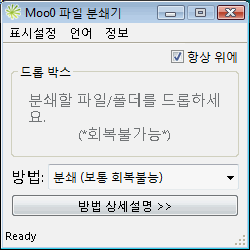 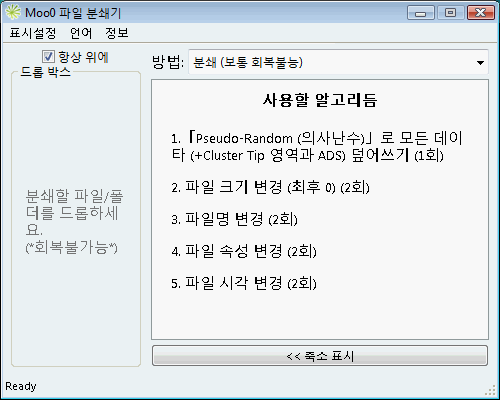
| 사적인 파일 영구제거 Moo0 파일 분쇄기는 사적인 자료와 기밀파일 등을 하드디스크에서 영구소멸합니다. 보통의 경우, 삭제후에도 모든 데이타는 누구나 거의 복구하여 열람할 수 있으므로, 이 소프트웨어는 필수 아이템 입니다. 사용법은 아주 간단합니다. 원하는 파일이나 폴더를 '드래그&드롭' (끌어놓기) 하면 됩니다. 문서의 중요도에 따라 4종류의 수준을 선택할 수 있습니다. Tips:- 하드 디스크의 회복가능한 데이타의 전소를 원하시면,「Moo0 하드 데이터 완전 삭제기」가 유용할 것입니다.
소개기사:
| ||||||||
| 페이지 타이틀: | |||||||||
| 페이지 URL: | |||||||||
| HTML 태그: | |||||||||
| 언어: | Arabic, 백러시아어, 브라질리안 폴투갈어, Bulgarian, 중국어 (Simplified), 중국어 (Traditional), Croatian, 체코어, 덴마크어, 네델란드어, 영어, Estonian, Finnish, 프랑스어, 독일어, Greek, Hebrew, Hindi, 헝가리어, Indonesian, 이태리어, 일본어, 한국어, Norwegian, Persian, 폴란드, Portuguese, Romanian, 러시아어, Serbian (Cyrillic), Slovak, Slovenian, 스페인어, Swedish, Thai, 터키어, Ukrainian, Vietnamese, 2 other languages (partial) - [ 번역해주신 분들 (28) ] | ||||||||
| OS: | Windows XP/2003/Vista/7/8.1/10 | 쉬움: | 아주 쉬움 | ||||||
| 버젼: | 1.23 | ||||||||
| 업데이트 날짜: | 2019/06/16 [ 업데이트 목록 (23) ] | ||||||||
| PAD 파일: | [ 소프트웨어 리스팅 사이트를 운영한다면... ] | ||||||||
| 다운로드: |
| ||||||||
| 크기: | 3.59 MB | ||||||||
| 라이센스: | 프리웨어 (비영리 목적 한정) 일할 / NetCafe 때 사용하세요?
| ||||||||
| 피드백: | |||||||||
| FAQ: | ■ (Symptom) The program suddenly doesn't start up one day? stopped working properly? on Windows 10/8.1? This probably happens when "Windows SmartScreen" hinders our program from working. In this case, please try the following before the installation. 1. Before the installation, right-click on the installer file and open the file "Property". 2. At the bottom of "General" tab, if you see "Security: This file came from another computer...", select "Unblock" check box, and "Apply" and "OK". 3. If you install the program after it, it may be able to prevent many problems caused by "Windows SmartScreen" or some other security products. Or, you can actually turn off this problematic feature of Windows itself: (only if you feel too troublesome to do this every single time.) https://ugetfix.com/ask/how-to-disable-windows-smartscreen/ This happens to every software vendor who doesn't or can't donate $300 to Microsoft every single year (EV signature purchase), and especially when the program file is still new. This kind of problems started to get reported since the early of 2019. | ||||||||
| 소개기사: |
Moo0 File Shredder v1.23 Review (A Free Data Wipe Tool) (LifeWire)
| ||||||||
 Moo0 File Shredder - A simple-to-use application that bundles four cleaning modes for helping you delete confidential data from your computer permanently